
The client portal
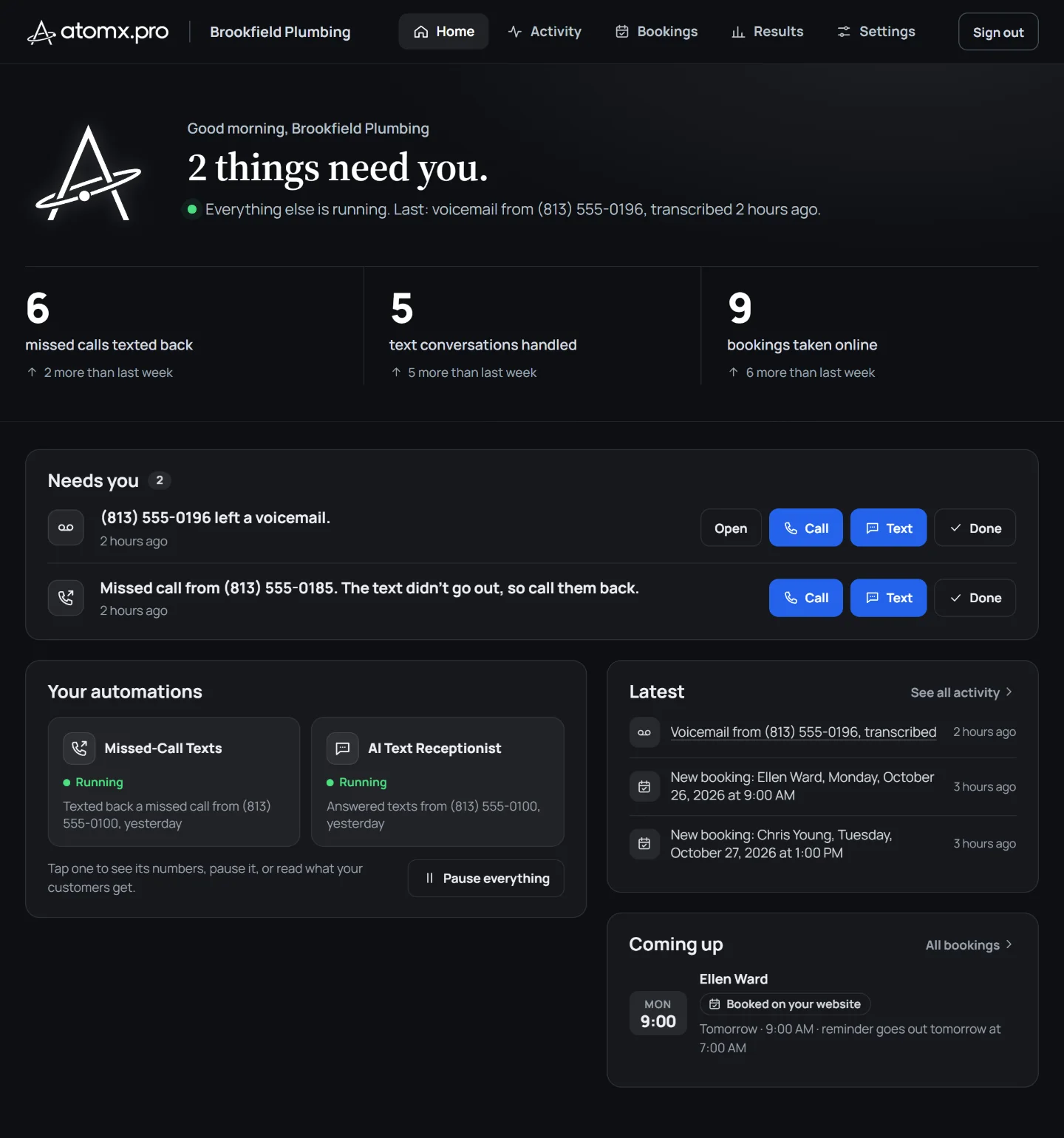
Everything we run for you, in one place.
- Your numbers This week, against last week.
- What needs you Call, text or mark it done.
- Your automations Each one running, or paused.
- What happened, what’s next The latest, and visits coming up.
On your phone too.
- On your home screen.Add it once and it opens like an app.
- Your numbers, between jobs.Results and Activity wherever you are.
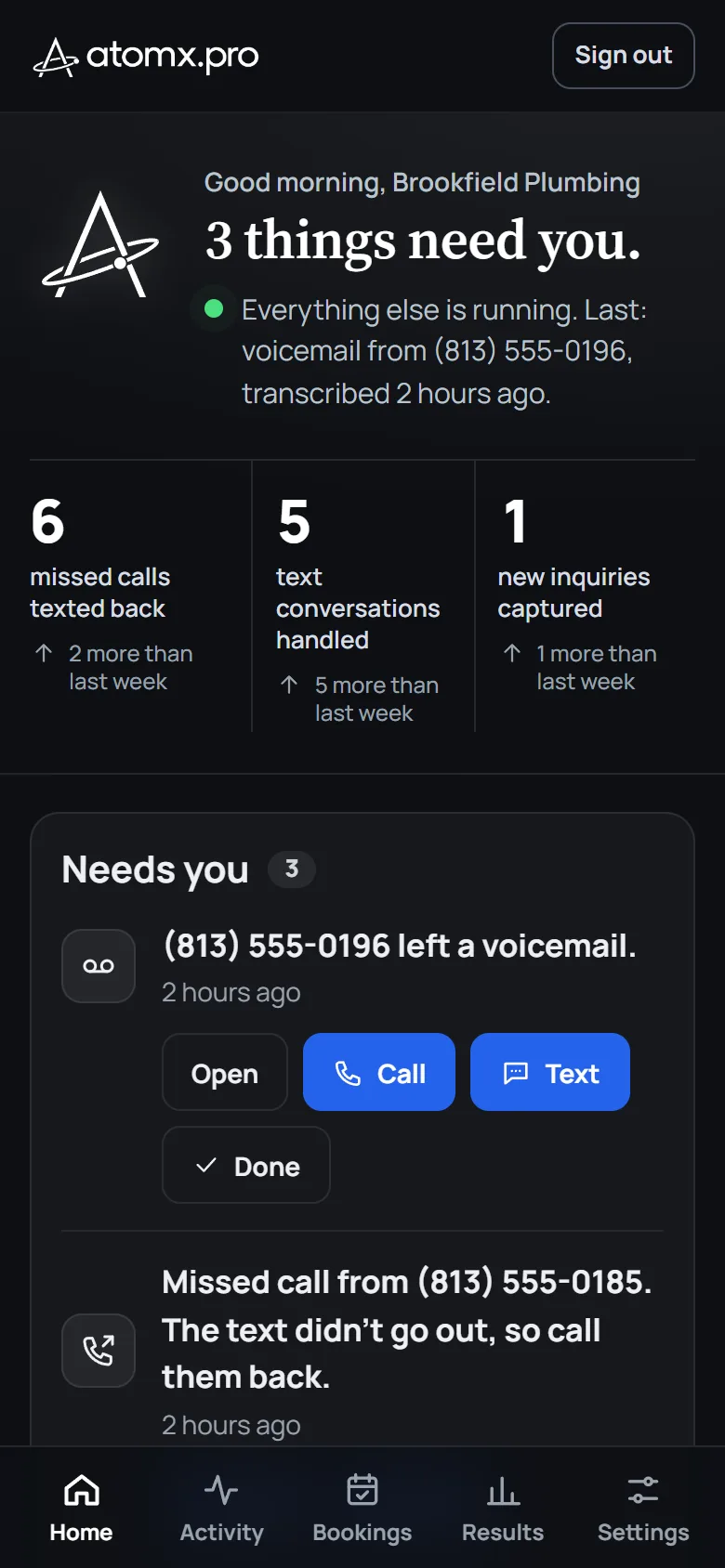
- Call or text back in one tap.Straight from what needs you.
- Every switch, anywhere.Pause, Away mode and days off work on the phone too.
Sample · fictional data
What the portal does
Every number, in one chart.
What each automation did, day by day, over the last 30 days.
Missed calls texted back
18 in the last 30 days
Bookings taken online
31 in the last 30 days
Only what needs you.
(813) 555-0127 left a voicemail.CallTextDone
A price question, handed over to you.CallTextDone
A switch for every automation.
- Missed-Call Texts: running
- AI Text Receptionist: running
- Appointment Reminders: paused
Away mode.
For a trip. It holds what you pick, then carries on by itself.
First day Nov 3Last day Nov 9
Your team.
Each person signs in with their own email.
Ask us for a change.
Saturday hours SentDrain cleaning price Done
Sample · fictional data
- Your team, too. You and up to 2 more people can sign in.
- A switch for everything. One for each automation, and one to pause everything.
- No password to lose. You sign in with a code sent to your email.
What’s in the portal.
- Home
- What needs you, each automation’s state, the latest activity and the visits coming up.
- Activity
- The last two weeks of what your automations did, day by day. Find any customer by name, number or email.
- Bookings
- Every booking for the next 60 days and the last 30, and where each came from: your website, a text, Jobber or Housecall Pro.
- Results
- A 30-day chart, and each automation’s numbers for 7 days, 30 days, or since you started.
- Settings
- Away mode, days off, stop contacting a customer, ask for a change, people with access, your account.
- Signing in
- A six-digit code sent to your email. It works once and expires in 10 minutes. No password.
- Devices
- Any computer or phone browser.